01
Fixed-channel loading
Stay on one channel to stress a network, evaluate coexistence, or maintain a stable reference signal.
AirHORN turns Wireless Toolbox into a controllable Wi-Fi signal source for reproducing congestion, exercising receivers, evaluating antennas, and testing how a network behaves under repeatable pressure.
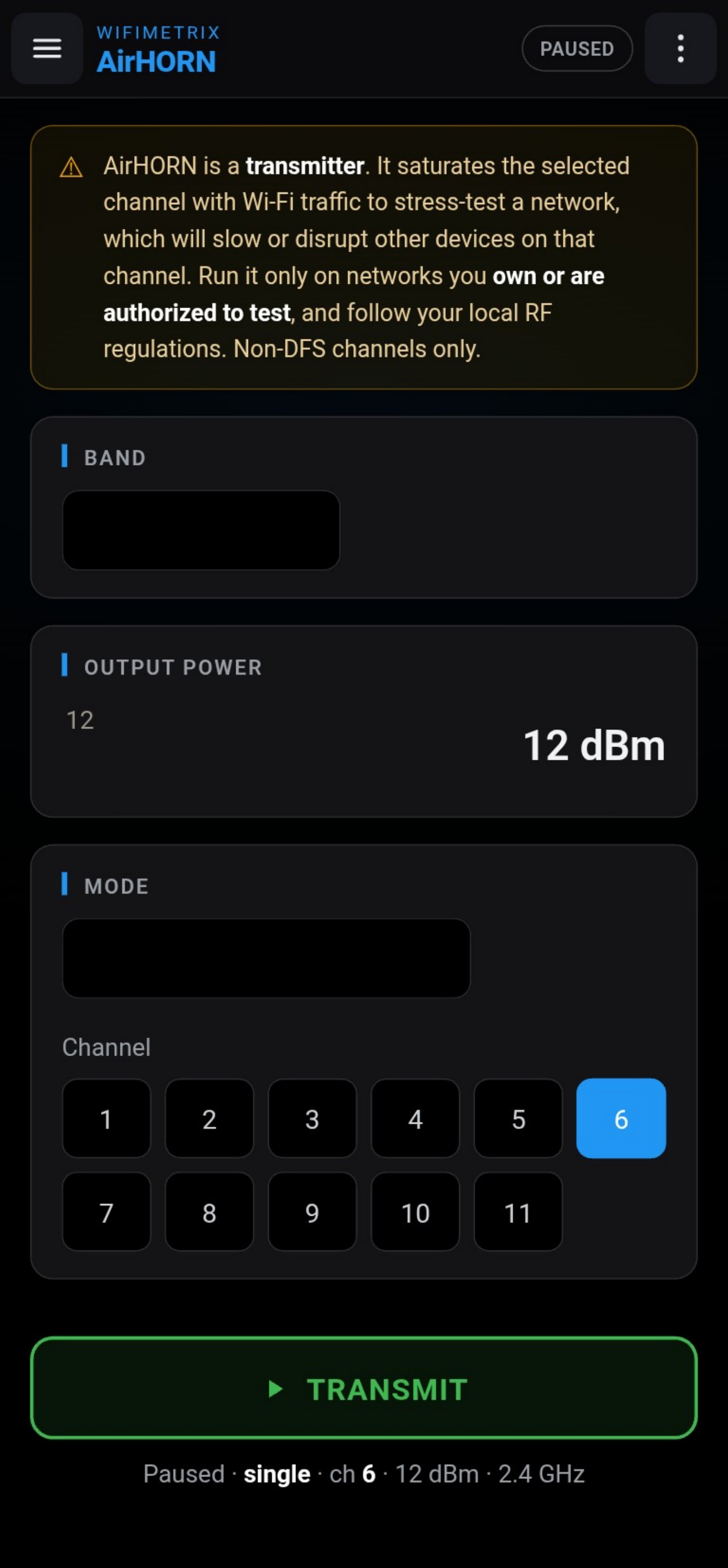
AirHORN transmits standards-aware 802.11 traffic as a very demanding neighbor. Because it still follows listen-before-talk behavior, it creates realistic channel pressure rather than indiscriminate broadband interference.
Pair the known stimulus with Channel Performance or an RF spectrum analyzer to evaluate receiver performance, reproduce an intermittent complaint, align a directional antenna, locate a dead spot, or assess an RF shield.
EXPLORE THE RELATED DESKTOP PRODUCT ↗Control the band, channel, power, and time pattern so a troubleshooting observation becomes a test that can be repeated.
Stay on one channel to stress a network, evaluate coexistence, or maintain a stable reference signal.
Step across supported channels with a fast or slow dwell for comparative receiver and antenna tests.
Alternate transmission and silence to make cause-and-effect easy to recognize in another diagnostic view.
Select the 2.4 or 5 GHz environment relevant to the system under test.
Match the test to a fixed load, channel traversal, or a recognizable pulse cadence.
The interface clearly identifies when AirHORN is on the air and which channel is active.
Use Channel Performance, an RF spectrum analyzer, or the receiver under test to document the response.
Responsible use: AirHORN is a transmitter. Use it only on systems and in locations you own or are authorized to test, and comply with applicable RF regulations.
AirHORN keeps the controls concise so attention stays on the equipment or network being tested.
Create a controlled Wi-Fi load, observe the response, adjust the system, and repeat the same test.